
This guide explains how to assign stakeholders to many existing packagings at once by importing a CSV file. The assignment is additive: stakeholders already attached to a packaging are not removed.
Navigate to the import
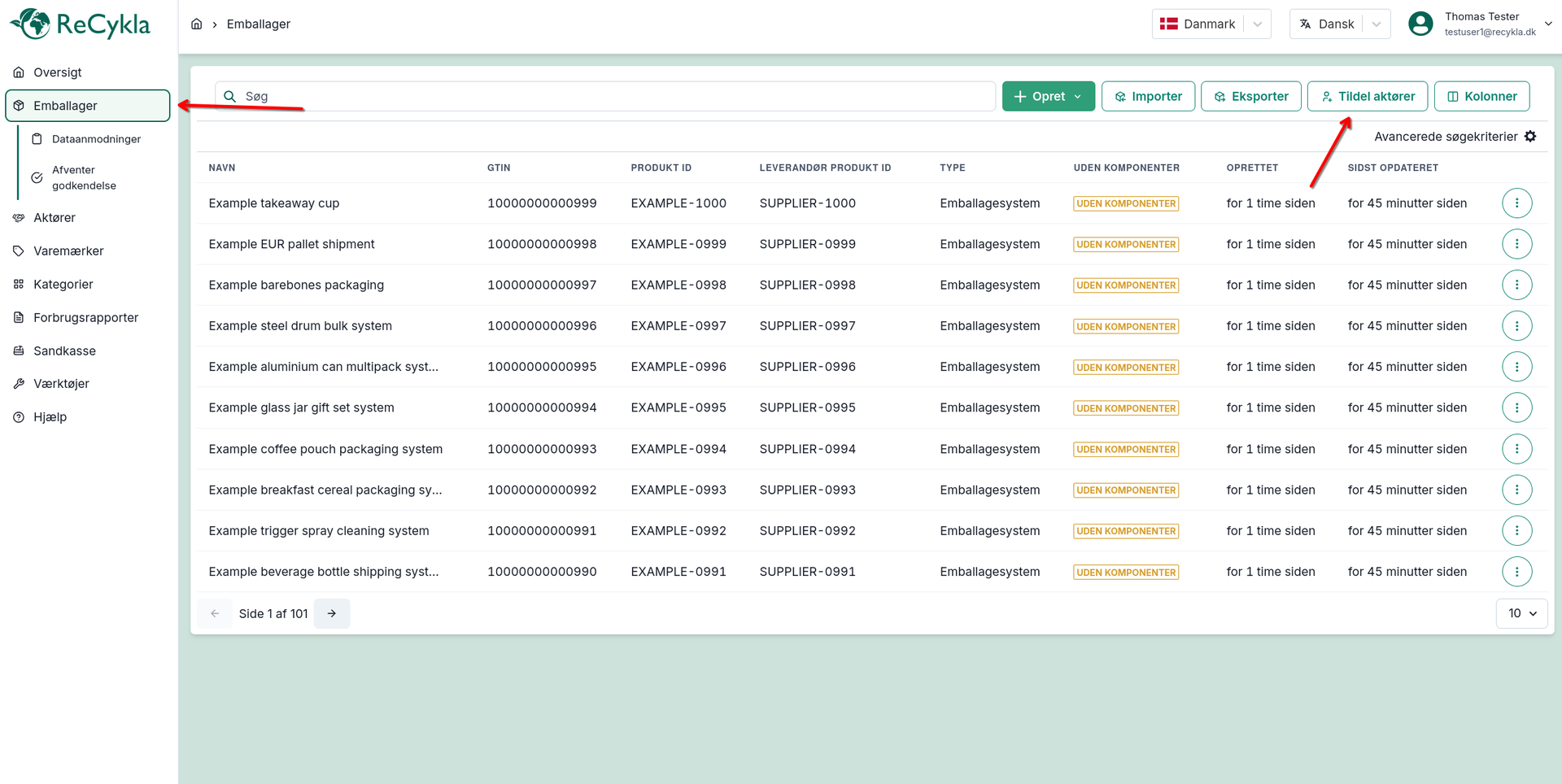
- Click Packagings in the navigation menu on the left side.
- Click the Assign stakeholders button at the top of the page.
Step 1: Download and fill in the template
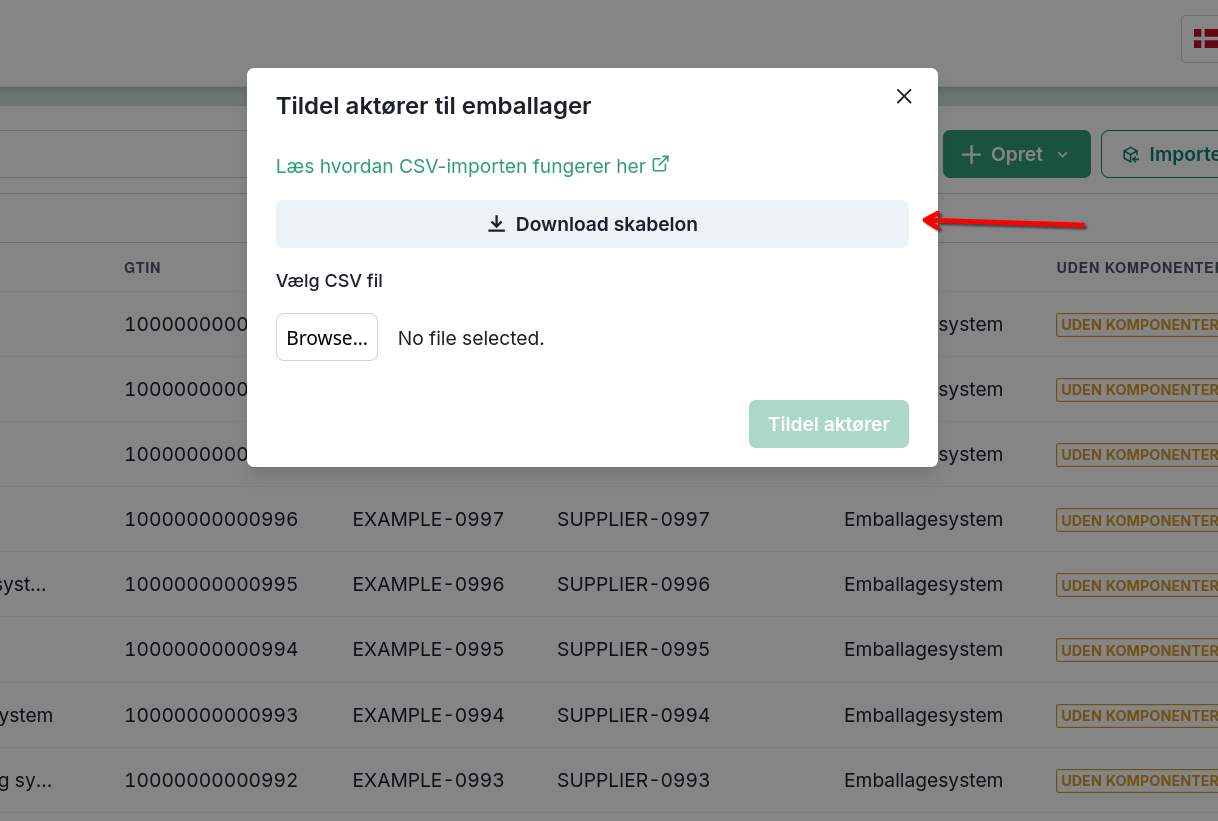
- Click Download template in the window to download an empty CSV template.
- You can then open the template in e.g. Excel and fill it in.
The first row in the file is reserved for headers. The columns are separated by semicolons and have the following headers:
Product ID; Stakeholder IDs
Fill in one packaging per row below the headers:
- Product ID — required. The product ID of a packaging that already exists on the platform, max. 64 characters. The product ID must be unique in the file.
- Stakeholder IDs — required. The IDs of the stakeholders to assign to the packaging. Multiple stakeholder IDs in the same cell are separated by commas. The stakeholders must already exist on the platform — see the guide Import stakeholders via CSV file.
Example of one row in the file:
12345678;ACME-001,ACME-002
Note: The template does not have to be used, it is only a help. The CSV file can also be generated directly from other systems. A more detailed overview of columns and limitations can be found at the bottom of this page.
Step 2: Select the CSV file
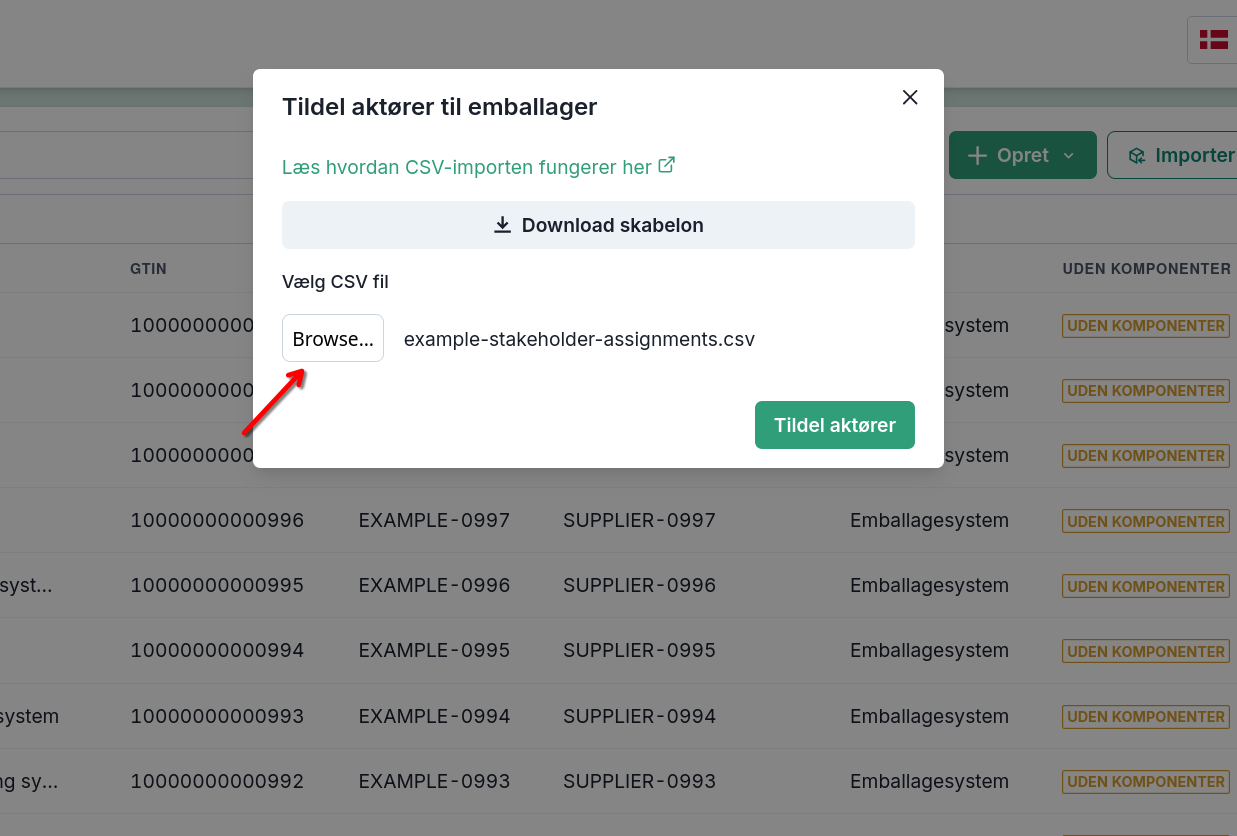
- Back on the platform, click Select CSV file and choose the filled-in file.
- The file is validated immediately. If there are errors, you are shown exactly which row the problem is on. Fix the error in the file and try again. You can repeat this until the file is error-free.
Step 3: Assign the stakeholders
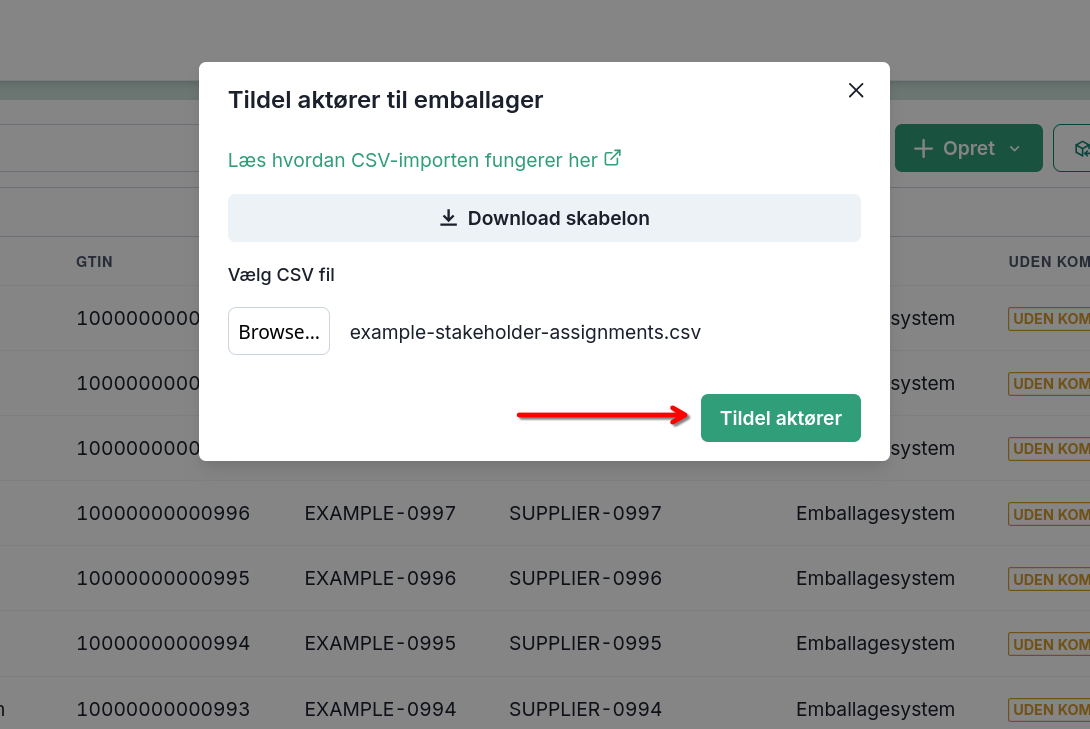
Click Assign stakeholders in the window. If everything goes well, you get a message with the number of packagings that were assigned stakeholders.
Note: Rows where the product ID or one of the stakeholder IDs does not exist on the platform fail — the rest of the rows are still processed. You are shown how many assignments were applied and which rows failed. Check that the product IDs and stakeholder IDs are spelled correctly, and run the file again for the rows that failed.
See also the guides Import packagings via CSV file and Import stakeholders via CSV file.
Technical overview
File requirements
- The file must be a CSV file (text/csv) of max. 5 MB
- The file can contain at most 25,000 rows
- The first row is reserved for headers. The columns are positional, so the column order must be exactly the same as in the template.
- Columns are separated by semicolons (;)
- Empty rows are skipped
Columns
Column | Required | Format and limitations |
Product ID | Yes | Text, max. 64 characters. Must be unique in the file and must match the product ID of an existing packaging — otherwise the row fails while the rest are still processed |
Stakeholder IDs | Yes | Comma-separated list of stakeholder IDs, max. 1024 characters in the entire cell. Duplicates within the same cell are removed automatically. All IDs must exist on the platform — otherwise the row fails while the rest are still processed |